
Audial ships two free plugins. Both load in Ableton Live, Logic, FL Studio, Bitwig or any host that reads VST3, and both call Audial's hosted engine for their generation step, so your machine only handles audio and never a model.
Audial Synth is a GPLv3 fork of the Vital wavetable synth with a Resynth panel added: drop any one-shot onto it and get an editable patch built from that sound, generated on Audial's servers. It installs as VST3, AU or a standalone app on macOS, and the source is public on GitHub.
text2vox sings typed lyrics over a MIDI melody in the timbre of a reference vocal and hands back both the vocal and its MIDI. It installs as VST3 or a standalone app on macOS. Both plugins need your Audial user ID and API key from your account page; Audial Synth plays as an ordinary synth without them, and only the generation steps require a subscription.
What you get
- Audial Synth: VST3, AU and standalone for macOS, GPLv3, source on GitHub
- text2vox: VST3 and standalone for macOS
- Resynthesize any one-shot into an editable preset from inside the plugin
- Sing typed lyrics over a drawn or imported MIDI melody in a reference voice
- Free to download; the generation steps call Audial's hosted engine
- Current macOS builds are not notarized yet, so right-click and choose Open on first launch
Hear it
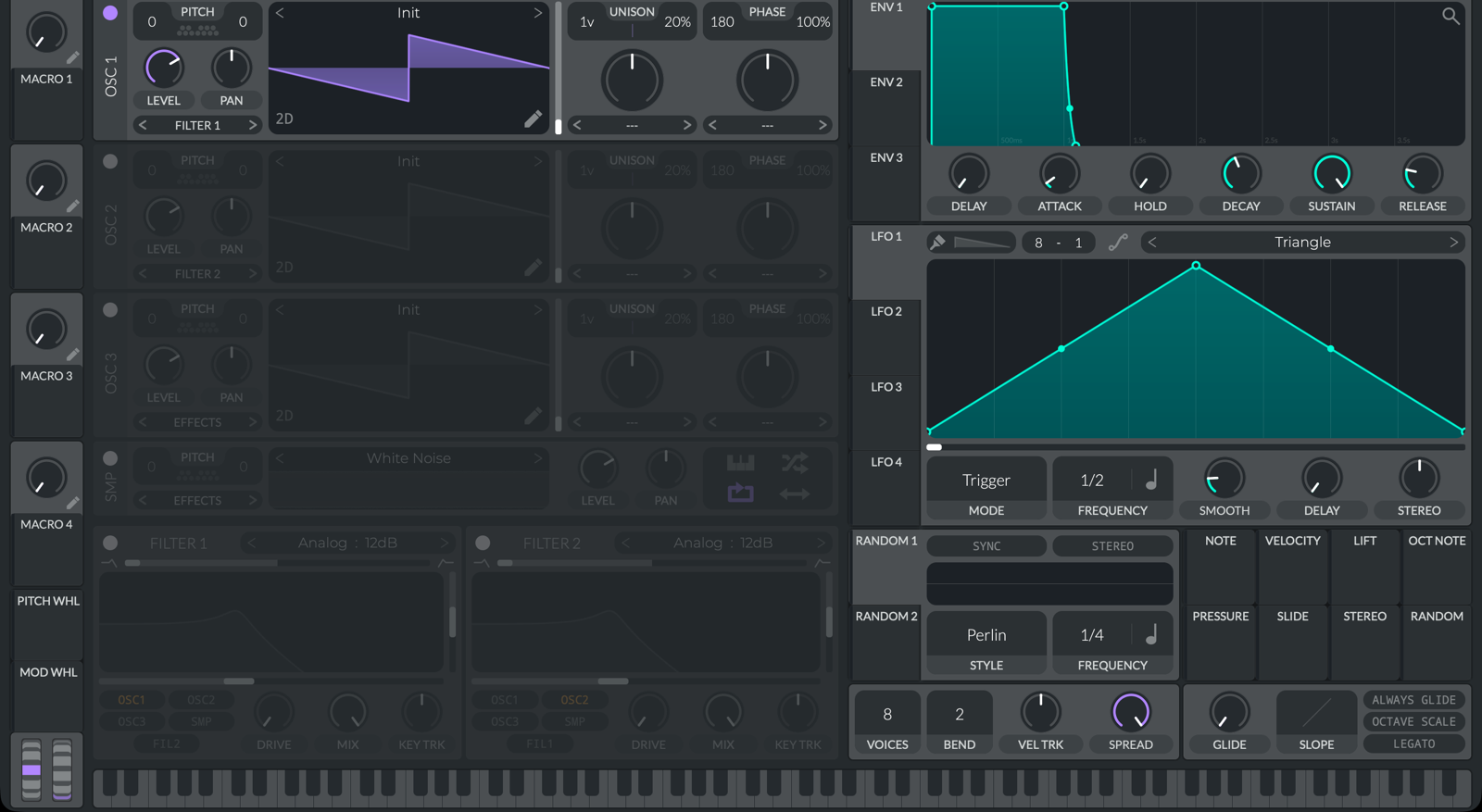
Audial Synth, a free GPLv3 Vital fork with a Resynth panel.
Use it from code
# The plugins call these endpoints; you can hit them yourself too
curl -X POST "https://api.audialmusic.ai/api/functions/run/sound2vital" \
  -H "X-API-Key: your_api_key" -H "X-User-ID: your_user_id" \
  -F "userId=your_user_id" \
  -F "original=@/path/to/clip.wav"
import audial
audial.config.set_api_key("your_api_key")
audial.config.set_user_id("your_user_id")
# What Audial Synth's Resynth panel does
preset = audial.sound2vital("clip.wav")
# What text2vox does
vocal = audial.text2vox(
reference_file="voice_clip.wav",
lyrics="la la la la",
midi_file="melody.mid",
)# In Claude, Cursor or any MCP client with audial-mcp installed:
"Resynthesize ~/Samples/pluck.wav into a preset I can open in Audial Synth."Frequently asked questions
Yes. Both install as VST3, which Ableton Live loads, and Audial Synth also installs as an AU for Logic. Copy the plugin into ~/Library/Audio/Plug-Ins/VST3 and rescan plugins in your DAW.
Yes, both are free downloads. The generation features call Audial's hosted engine, which needs an Audial account with an active subscription; Audial Synth works as a synth without one.
The builds on the downloads page are macOS, as VST3, AU and standalone for Audial Synth and VST3 and standalone for text2vox.
Yes. It is a GPLv3 fork of the Vital wavetable synth, with the source at github.com/AudialAI/sound2vital-gui.
The current builds are not notarized yet. On first launch, right-click the plugin or app and choose Open.
Your Audial user ID and API key, both on your account page. They are what the plugin uses to call the hosted engine.